An item finder for family life: sharing tags in Find My
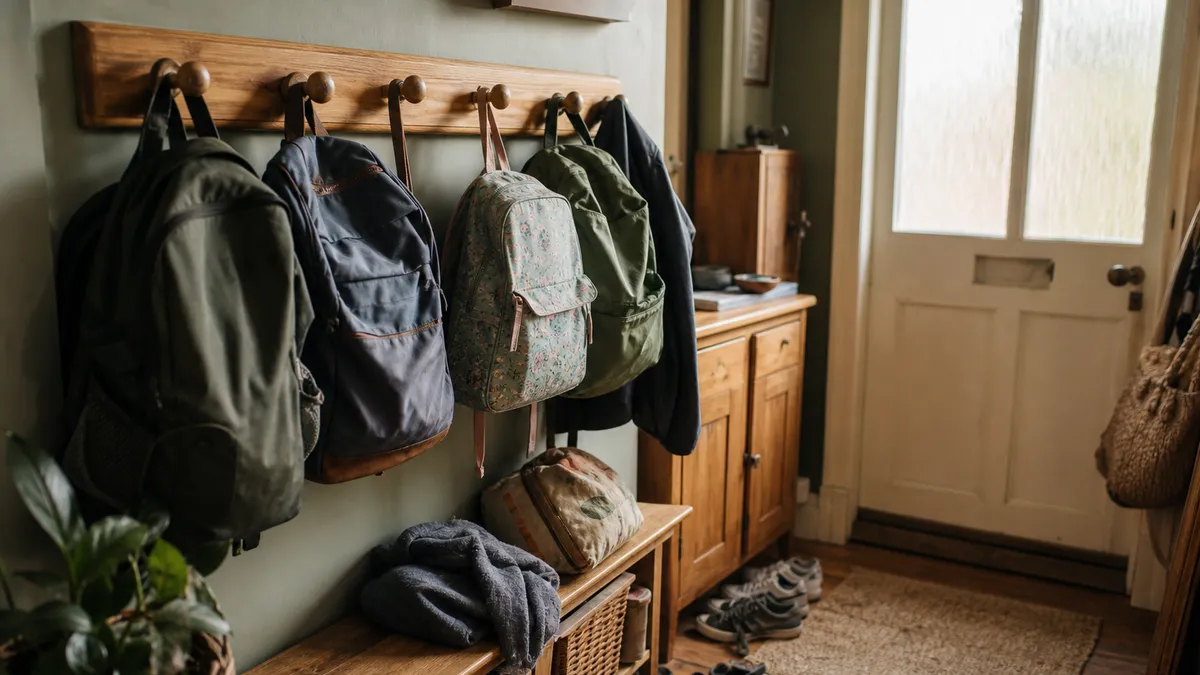
The thing nobody warns you about an item finder for family use is that ownership becomes the problem. One person buys the tags, pairs them to their own phone, and from that moment on every search in the house routes through that one person. "Can you ring my keys?" at seven in the morning, from upstairs, while they are in the shower. It is a worse system than the one you replaced.
Item sharing fixes this, and it is the single most useful setting for households. Here is how it works, who should get access to what, and what is realistically worth tagging for each member of a family.
What item sharing actually does
Since iOS 17, an item in Find My can be shared with other people. Once someone accepts, that item shows up in their own Find My app, on their own phone.
What a shared person can do:
- See the item on the map, wherever it is.
- Ring it, from their own phone, without you being involved.
- Get directions to it.
What only the owner can do:
- Remove the item from the account entirely.
- Set up Lost Mode.
- Remove other people from the share.
A few limits worth knowing before you plan around it. Everyone you share with needs their own Apple Account, their own iPhone or iPad and a reasonably current version of iOS. An item can be shared with a handful of people, not a whole school. And you can revoke access at any time, the item simply vanishes from their list.
Importantly, the anti-stalking protections stay switched on. Sharing an item deliberately with a family member is not the same as hiding one in a bag, and Apple's unwanted-tracking alerts continue to work for everyone who is not on the share list.
Who to share what with
The instinct is to share everything with everybody. Resist it, or the Items tab becomes noise and people stop looking at it.
The communal set, shared with every adult in the house. House keys, the shed key, the car keys that both of you drive with. These are the things nobody owns and everybody loses.
A teenager's keys, shared both ways. They can find their own set; you can find it too when they have left it in a friend's kitchen. Have the conversation openly, a tag on a key that a teenager knows about is a household tool, and one they do not is a trust problem you do not need.
A younger child's bag, held by the parents. Primary-age children lose school bags, PE kits and coats with remarkable consistency. The tag lives with the item and the visibility lives with the adults.
An elderly parent's handbag or keys, shared with an adult child. With their agreement, and set up together on their phone, not behind their back. The value here is being able to say "it is still at the house" over the phone rather than driving over.
Nothing shared with everyone by default. Each share should have a reason.
The bit people get wrong
Tags are for things, not people. A tracker in a child's coat tells you where the coat is, and children take coats off. If your actual question is "where is my child", that is a job for Family Sharing location on their own phone or watch, which is designed for it and which they can see. Using an item tracker as a substitute is both less reliable and a worse conversation to have later.
Building an item finder for family: what to tag first
One tag per person, on the thing that person actually loses. That is the whole strategy.
| Household member | The thing that goes missing |
|---|---|
| Whoever does the school run | The car keys, and the spare set |
| Teenager | House keys, headphone case |
| Primary-age child | School bag, PE kit bag |
| Whoever works from home | The reading glasses, the notebook |
| Grandparent | Handbag, walking stick, keys |
| The whole household | The TV remote, the good scissors |
Start with two. Add more only when a specific loss keeps recurring, a tracker on something that never goes missing is clutter in the app.
The setup evening
Do this once, together, and it takes twenty minutes.
- One adult pairs every tag from their phone and names each one clearly. Not "Tag 2". "Mum's keys", "Isla's school bag".
- Open each item, choose Share This Item, and add the people who need it.
- Everyone else accepts on their own phone and checks the item appears.
- Switch on Notify When Left Behind for the items that leave the house, and set home as an excluded location so nobody gets nagged in their own kitchen.
- Ring every tag once, from a different room, so everyone knows what it sounds like.
For the pairing detail, our five-minute setup walkthrough has the step-by-step.
How Air Tracker helps
Air Tracker supports Find My item sharing on iOS 17 and later, which is the feature this whole approach rests on: pair once, share with the household, and every phone can ring every tag. Nobody has to be the family's search engine.
The rest of the specification suits a busy house. It rings at 80–100 dB, which carries through a coat pile and a shut bedroom door, over a Bluetooth range of up to about 60 metres. Beyond the house, the Find My network of passing Apple devices keeps the pin current, with location data encrypted end to end so only the people you shared with can see it. The CR2032 battery runs up to two years and swaps in seconds, worth knowing when six tags are in circulation. IP67 means a school bag left in the rain is fine. And Apple's unwanted-tracking alerts are supported, which matters when tags move between family members.
Every phone involved has to be Apple-made and running iOS 14.5 as a minimum, with no Android option, so check what the household actually carries before you buy.
Each box holds two trackers and ships free in the UK for under £15. work out how many boxes your household needs.
Written by Item Finder Updated
More from the journal
 Lost and found4 min read
Lost keys in a shop: Black Friday queues and tills
Lost keys in a shop happen at the till, in the fitting room and in the queue. Here is where they go, who to ask, and how a ringing tag ends the search.
 Lost and found5 min read
Glasses finder: realistic options for specs and hearing aids
A glasses finder small enough to sit on your frames does not really exist. Here is what a coin-sized tag can honestly do for specs, cases and hearing aids.
 Lost and found5 min read
Lost wallet UK: what to cancel, and in what order
Lost wallet in the UK? Freeze the cards in the banking app first, then the driving licence and any travel documents. Here is the full order and the deadlines.